

Go from niche to upload-ready in a day.
Pick a niche worth writing for and get back a finished book you can upload, without spending weeks on the writing, design and layout.
No credit card needed. New accounts get 5 free starter credits, enough for a first niche look.
Three steps. Zero Canva.
One place for the research, writing, design, formatting and packaging you would otherwise stitch together across half a dozen tools.
Find a niche worth writing for
Live market signals let you weigh demand against competition, so you can move while the topic still matters.
The engine builds the book
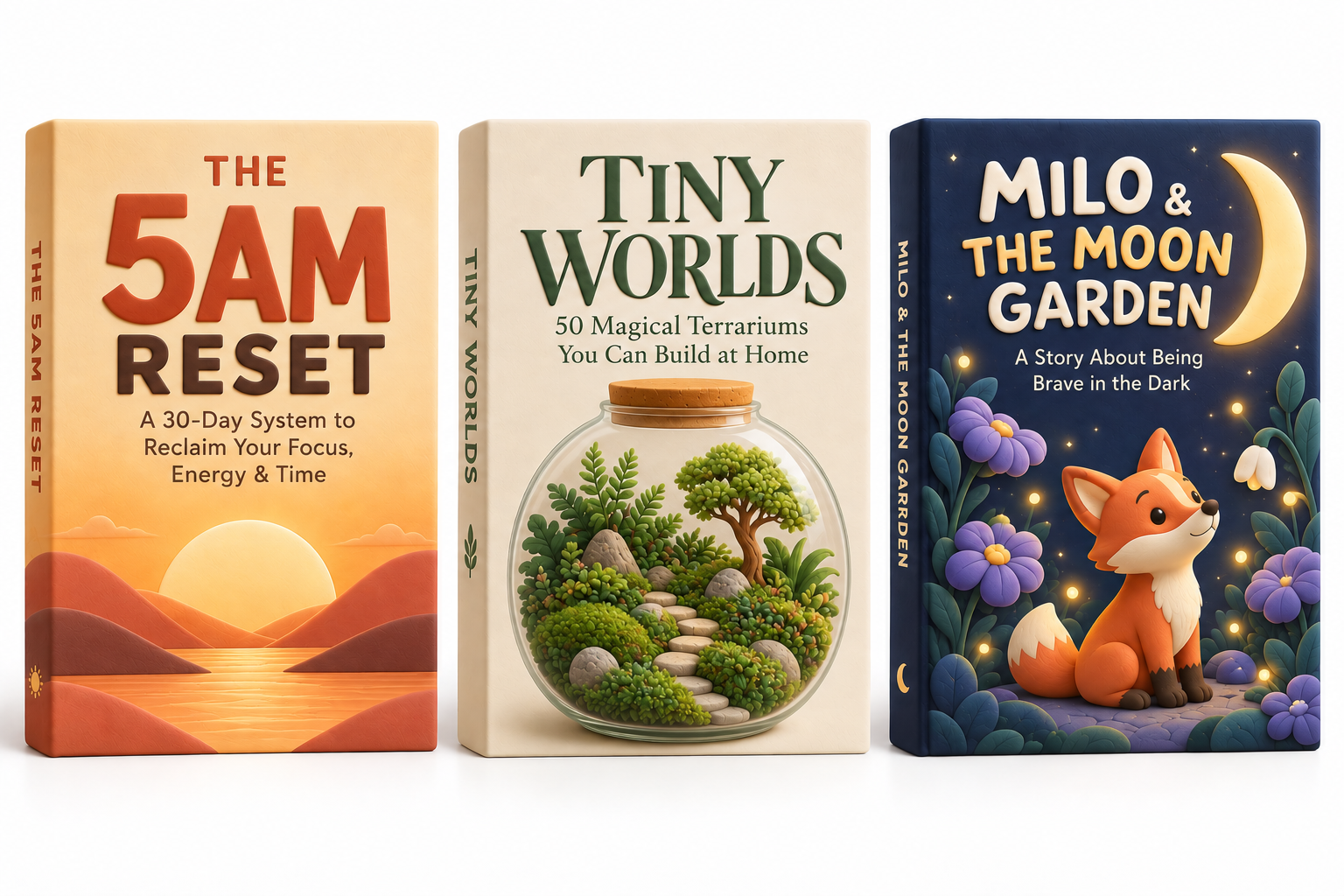
Research, table of contents, chapters, worksheets, illustrations and cover art, all shaped by your audience, voice and format.
Download one complete ZIP
Manuscript PDF, wrap-around cover PDF, EPUB and listing text arrive in one archive. Unzip it and upload.
What the workflow looks like
The same fields, progress bars and file list you work with in the app, step by step.
Pick a niche
Choose the format and audience after a live scan.
Set the voice
Shape tone, perspective, reader and style sample.
Build the outline
A table of contents shaped to your page target.
Draft the chapters
Chapters write in sequence with live progress.
Review & adjust
Proofread, prompt changes or restore a version.
Cover & ZIP
Create the cover, listing and final export package.
What you actually get
Every finished project exports as one archive: interior PDF, wrap cover, EPUB and listing text. Try the interior renderer yourself below.
Interior PDF
Trim-size pages with mirrored margins, gutter, running page numbers, chapter openers and worksheet elements.
Wrap-around cover
Back, spine and front sized from your real page count and paper stock, for paperback or hardcover.
Worksheets & prompts
Writing lines, prompts, exercises and checklists set inside the interior wherever your format allows them.
Illustrations
Artwork you generate or upload is placed into supported layouts, with bleed handled on full-page images.
Metadata & keywords
Listing title, description and seven keyword slots, ready to paste into KDP.
Title
The Steady Week
Description
A guided workbook demo with short teaching sections, prompts, writing space and a simple tracker.
7 keyword slots
The final ZIP
One archive holds every finished file.
your-book.zip
- interior.pdf
- cover-wrap.pdf
- ebook.epub
- amazon-listing.txt
You direct it. The engine does the production.
You do not have to be a writer, designer, formatter or keyword researcher. You just need an opinion about the reader. The rest is guided.
- Audience & reader tension: who it is for and what they are stuck on
- Voice & perspective: tone, pronouns, author point of view and an optional writing sample
- Structure: chapter count, page target, worksheets and imagery density
- Content control: rewrite any chapter, prompt adjustments and restore a previous version free
Built around Amazon KDP's print requirements.
yumo checks your interior and cover geometry against Amazon's published print specs before you export. The final call on approval is always Amazon's.
- Gutter margins matched to your real page count
- Mirrored inside and outside margins on every left- and right-hand page
- 0.125″ bleed on covers and full-page pictures, plus a barcode-safe zone on the back
- Spine width from real page count and paper stock, with spine text only when KDP allows it
- Brand and franchise names screened out of your title, subtitle, keywords and cover text
- Subtitle written as a real sentence instead of a pile of search terms
- Leftover markers, cut-off chapters and repeated paragraphs flagged before you download
- Plain guidance on Amazon's AI disclosure question, which you answer yourself in KDP
From one idea to a publishing catalog.
Look for openings, make finished books, see what connects with readers, and build on it instead of starting from zero every time.
Catch opportunities earlier
Check a direction in minutes instead of losing a weekend to research, while the topic is still fresh.
Publish without the production maze
Writing, layout, covers, bleed math and metadata all live in the same workflow.
Build a repeatable process
Keep what you learned from each project and start the next brief with a clearer idea.
Build one book. Learn what works. Grow a catalog.
Pick your plan
Subscribe and save, or buy a single book outright. Cancel anytime.
Publisher Pro
80 credits every month, to spend on research, chapters, covers, metadata and illustrations as your catalog grows.
- 80 fresh credits every month
- ZIP export for finished projects
- Niche & keyword research built in
- Margin, bleed, gutter and spine checks
- Listing copy + 7 keyword slots
Cancel anytime. Top-ups from $9.99.
One-book bundle
80 credits, one payment, no renewal. Spend the balance on the project you have in mind. Purchased credits do not expire.
- 80 credits that never expire
- Use across chapters, covers and metadata
- Paperback and hardcover cover options
- Margin, bleed, gutter and spine checks
- Listing copy + 7 keyword slots
No subscription. No renewal.
What 80 credits can create
Credits only leave your balance when you generate something, and the cost is shown before you press the button.
Your mix depends on the book: chapter count, illustrations and how much you rewrite. 80 credits leave you room to choose instead of locking you into one fixed result.
Questions, answered straight.
Will Amazon approve my files?
yumo checks the common layout and cover requirements, but Amazon makes the final call. Follow KDP's current content and publishing guidelines.
Can I edit the book after it is generated?
Yes. Rewrite chapters, ask for content and layout changes, switch the voice, redo the cover, or restore an earlier saved version for free.
Who owns the finished book?
You do. You publish under your own account and keep your rights and royalties. yumo makes no claim on your manuscripts, covers or listings.
How do credits work?
You spend credits per generation: 1 for a chapter or illustration, 3 for a wrap cover, and so on. Costs are shown before you generate. New accounts get 5 starter credits for a first niche look. Subscription credits refresh every 30 days, while one-time and top-up credits never expire.
Do I have to disclose AI use to Amazon?
Yes. yumo writes the sentences and makes the pictures, so the book counts as AI-generated even after you edit it, and you tick that box when you create the title in KDP. It is a backend question only, so readers never see a tag on your listing. We show the same wording on the download step, and you should still check KDP's current guidelines before you publish.
Can I cancel my subscription?
Yes, from your purchases page. Credits you already have stay in your account, and there is no cancellation fee.
Which formats and trim sizes are supported?
Workbooks, journals, non-fiction, self-help, fiction and children's formats, with KDP paperback and hardcover cover calculations where they apply. You can export the interior PDF, cover PDF and EPUB.
How do I upload the ZIP to KDP?
Unzip the archive, upload the interior PDF as your manuscript and the wrap cover PDF as your cover, then paste the title, description and keywords from the listing file into KDP.
yumo is an independent tool and is not affiliated with, endorsed by or sponsored by Amazon, Kindle Direct Publishing or any Amazon company. yumo does not guarantee approval, rankings, sales or earnings. When you publish, follow KDP's current content guidelines, including its AI-content disclosure questions.